 Keet Support
Submit a Report
Keet runs without servers and does not store any information we could use for troubleshooting. 🔐
What should I do if I encounter a bug or want to provide a suggestion?
Keet runs without servers and does not store any information we could use for troubleshooting. 🔐
That’s why your detailed report is essential in helping us understand and resolve the problem.
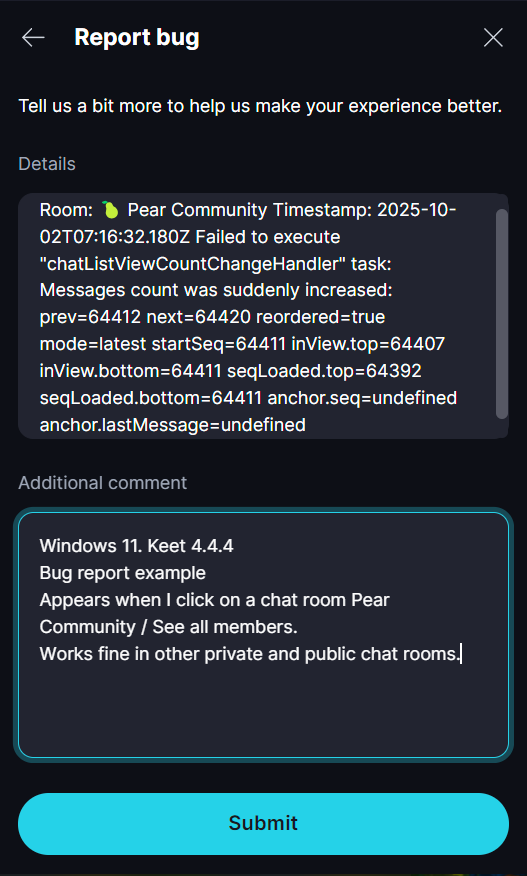
When reporting a bug in Keet, please include:
- Device(s) where the issue occurs (PC / mobile).
- OS and Keet version.
- Screenshot or video of the issue (optional but very helpful).
- Steps to reproduce the issue.
- Frequency (one-time, occasional, observed under specific conditions/networks/groups, or permanent, etc).
Please submit your bug report in the following group: Bug Bandits 🐞 pear://keet/yfoios17dgbdhoyizg1er4zdsay9admk4oo3meh4j1tawqx4fw5scmysf93per7subcttbhrjuoiriey7b65sh5yrdmhpape7j7f4d7s51kfur9wwwrkwb8ms31n9ro1h467iqq4orw945do88oxztmpfoznnye
You can also seek help from the Keet Welcome group pear://keet/yfo65n76jzi9girwkdqffaa6istu4n9zrc8pje6qds1qqco448fk6cnoa5uuynb7tnje58r7mtpzs1bodbk8routkfmk3fhd4czh6y8x5jsj7t69pq3iatqd8jj38bjxy318atyxy7mnwg1zk4djry47cchdaye
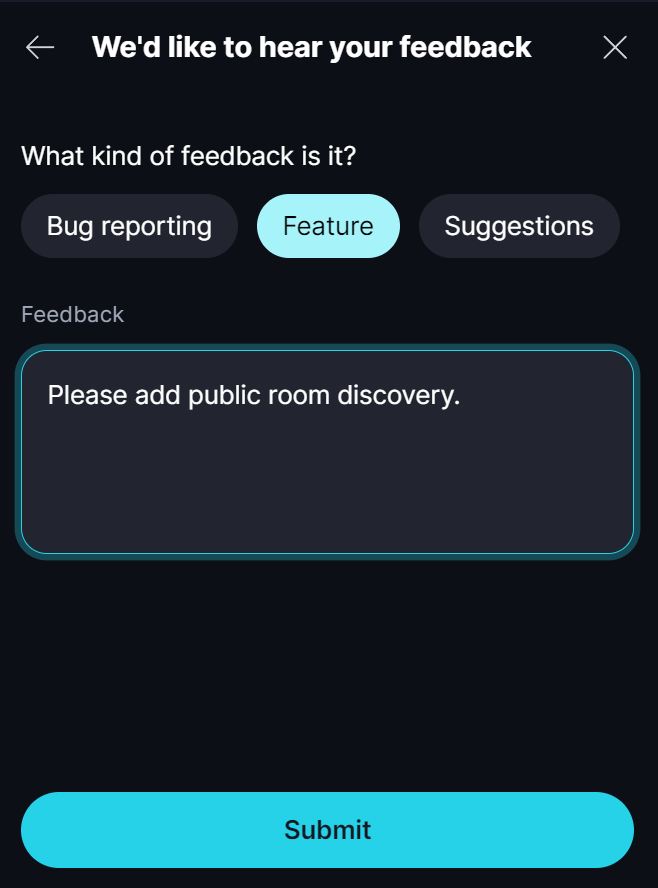
Send feedback or a feature request
Go to 'Profile' / 'Feedback' and select 'Feature' or 'Suggestions'.
Tell us your ideas for improving the app.
We appreciate your help in improving Keet! 💫
Error log
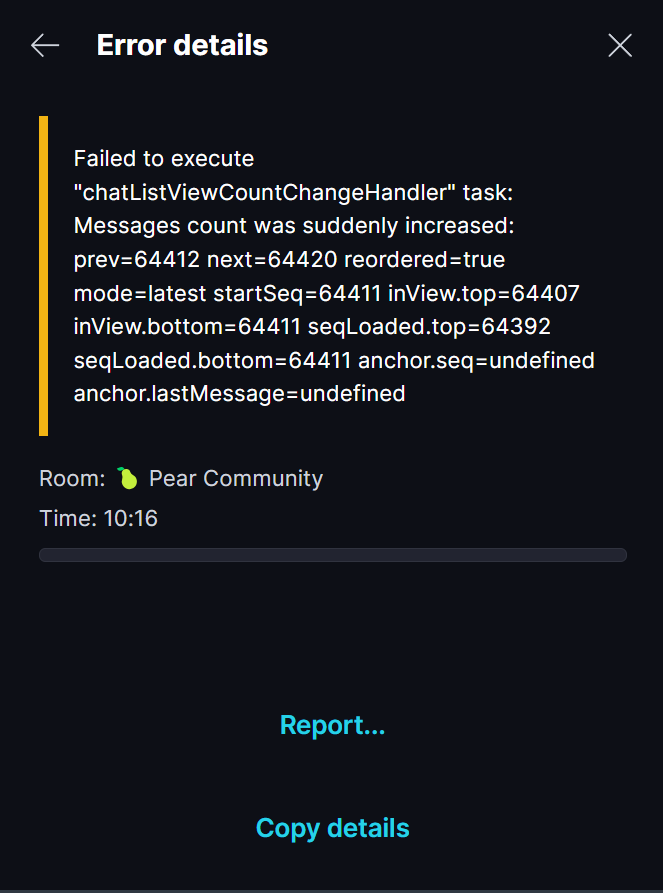
If you encounter an error, you can send a report immediately or access past errors in the log.
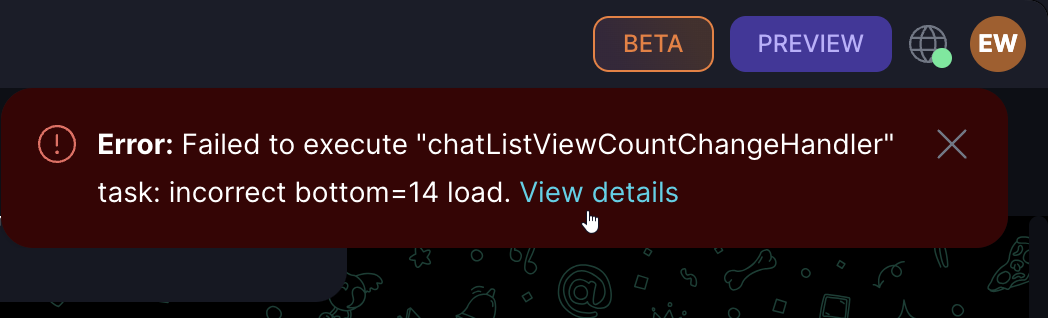
Click 'View details' to see the error or go to Profile > Error log and select the error.
You can copy the details or send a report with any additional information.