 Keet Support
Keet App issues
Here are the basic steps to take if you are experiencing app issues.
Keet is not working properly on my device
- Verify that you are online by checking your status in Profile:
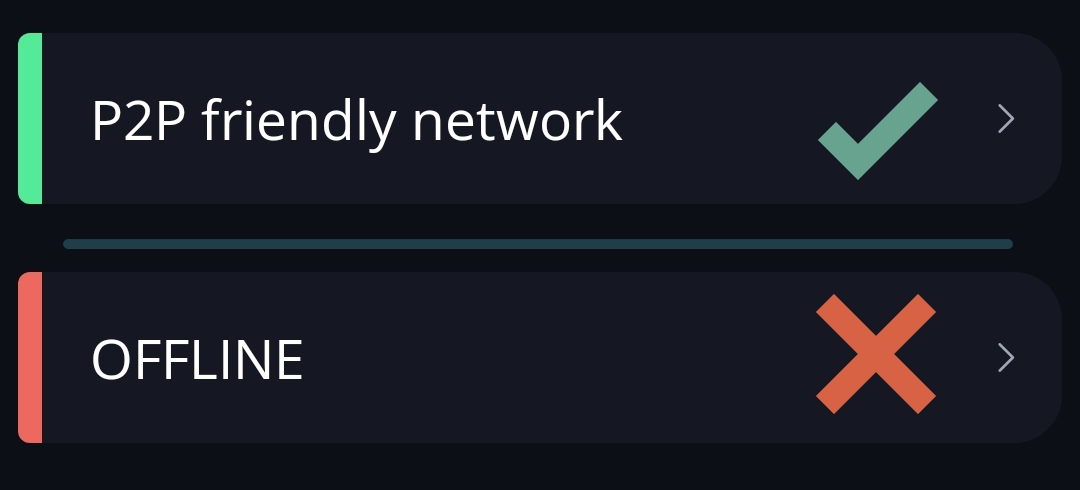
- Restart the app and wait a couple of minutes for it to sync all groups.
- Clean the device cache (optional).
- Restart the device.
Under no circumstances should you delete any Keet-related files or folders on your device(s) manually
- Ensure you are using the latest Keet version.
If the application was installed from the Store and auto-update is enabled, it should fetch and install the updates automatically.
However, if installed from APK or tar.gz, you may need to download and install the update manually.
- If you are using a VPN, check if it is not blocking Keet.
Keet works with most VPNs, but certain settings or features may affect its performance.
Please check whether your VPN service supports P2P traffic. Some providers offer specific settings (e.g., “Allow P2P traffic”) or dedicated servers that are optimized for P2P connectivity. Make sure this option is enabled or that you’re connected to a server that supports P2P.
If you encounter issues, try using Keet without a VPN to see if that resolves the problem.
If you are experiencing further issues, please submit a bug report to the 'Bug Bandits' group and our team will look into it.
Messages are not loading in a group
If you’re unable to send or receive messages in a group or DM but still have access to it, you can try repairing it. You don’t need to be an administrator or moderator - any peer can use this feature.
To repair a group, open its options, scroll down, and select 'Repair group'.
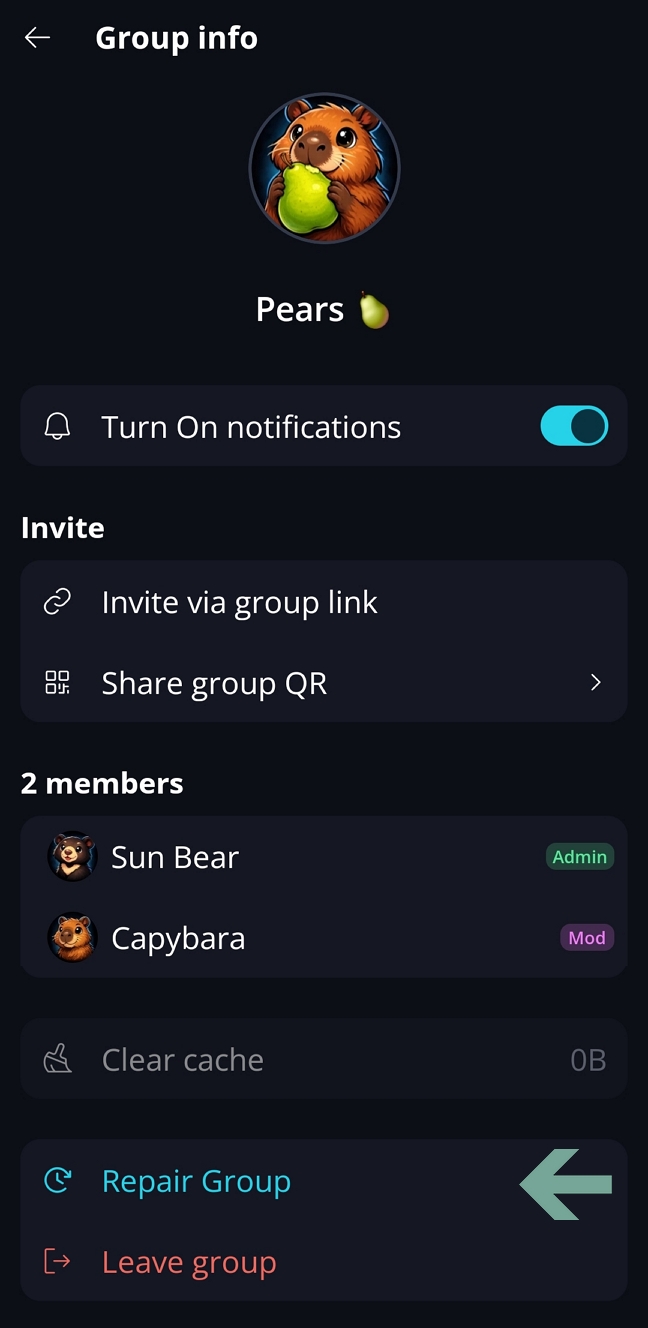
Keet will attempt to fix the issue. You may need to run the repair a couple of times to see the results.
If the problem persists, please submit a report via the Feedback form.
If you’re having issues with installation, opening Keet app or joining the group, please email us at support@holepunch.to