 Keet Support
Sound issues
* Ensure the microphone is enabled and not muted:<br />
My contact can't hear me
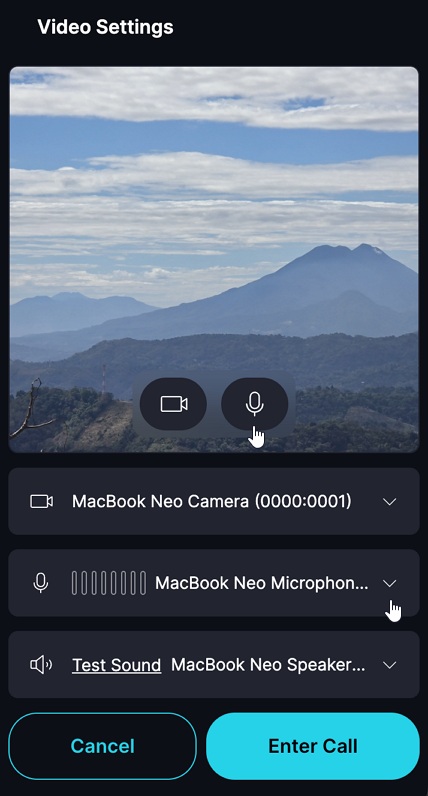
-
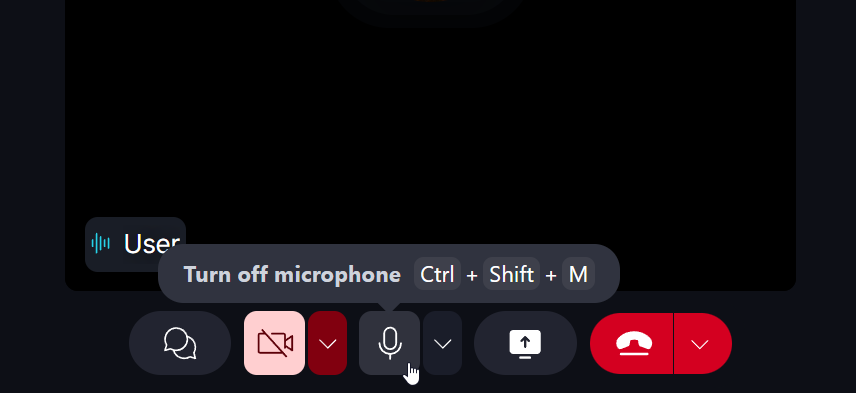
Unmute the microphone in the call options panel:
-
Verify that Keet has the necessary microphone permissions on your device.
- Desktop: 'Settings' / 'Privacy & Security' / 'Microphone' / 'Keet'
- Mobile: 'Settings' / 'Apps' / 'Keet' / 'Permissions'
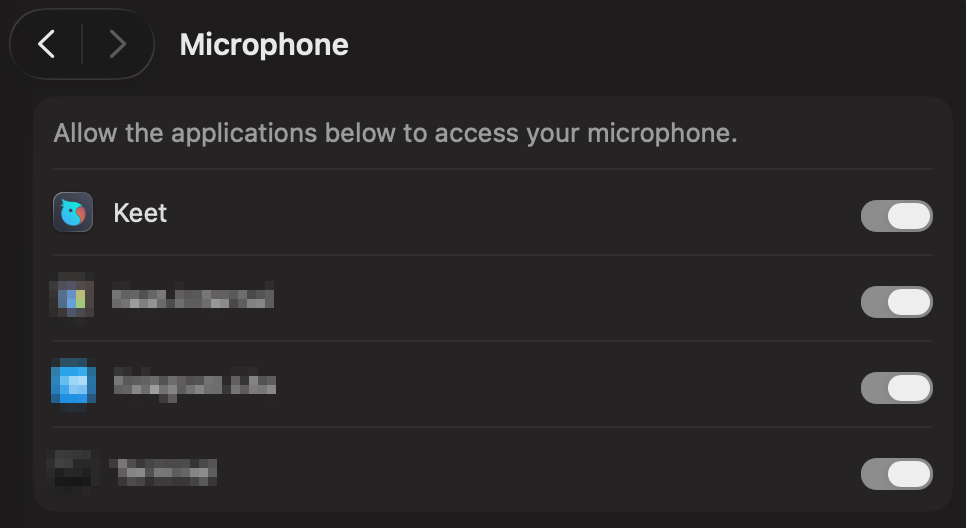
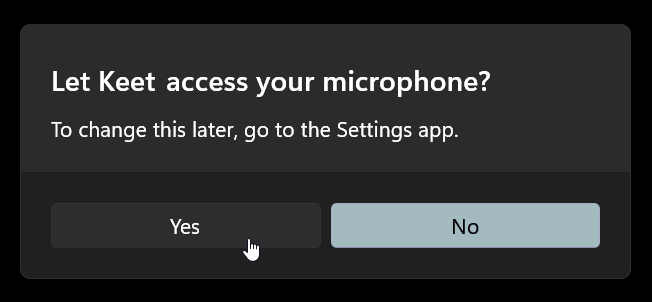
- Please note that after the update or reinstall the OS may request microphone access once again.
- Test the microphone in other apps to rule out hardware issues.
I can't hear the other person on a call
- Check your device’s volume settings.
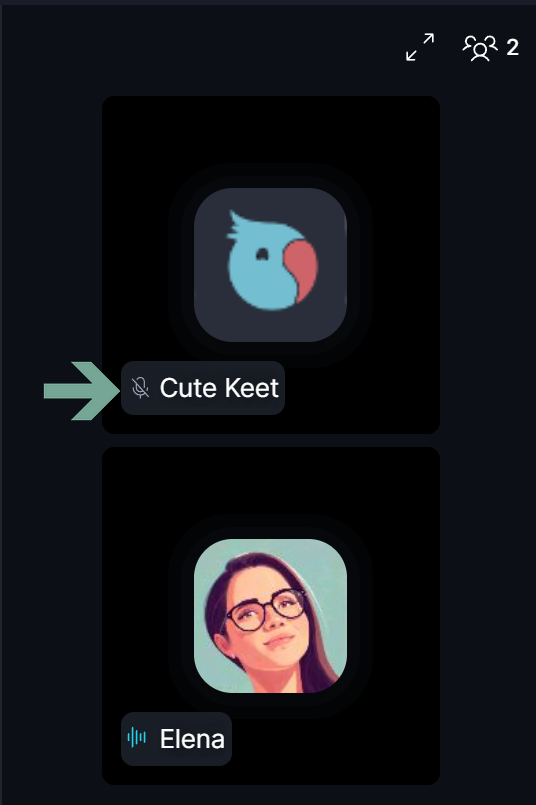
- Verify that your contact has the Microphone enabled and unmuted:
- Ensure speakers or headphones are properly connected.
- Restart or re-enter the call if the issue persists.
Sound quality is low
- Make sure both you and your contact have a stable internet connection.
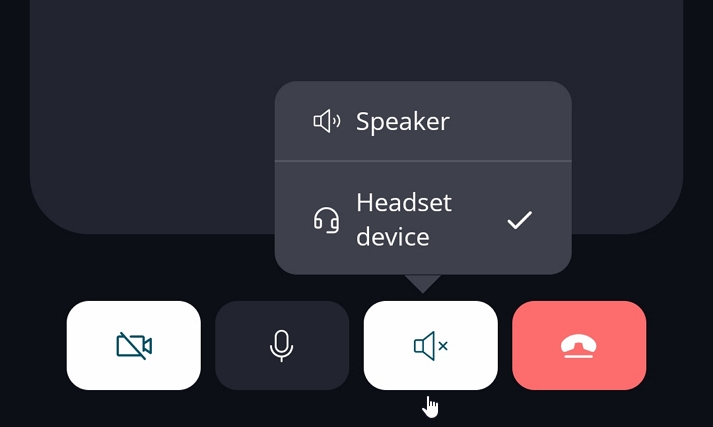
- Check that the correct audio device is selected:
- If using Bluetooth headphones, confirm they are connected and Keet has permission to access nearby devices.
- If the issue continues, try restarting or re-entering the call.
If you are experiencing further issues, please submit a bug report to the 'Bug Bandits' group and our team will look into it.